

Issue Breakdown Table
| Category | Details |
|---|---|
| Affected App | Apple Mail App |
| Devices Impacted | iPhone 12, iPhone 15, iPad, MacBook |
| Common Symptoms | Emails not loading, app crashing, missing inboxes |
| Probable Triggers | iOS 18.4.1 update, server errors, outdated passwords |
| Short-Term Fixes | Restart Devices, remove/re-add accounts, reset network settings |
| Workaround Tools | Outlook, Gmail, Spark |
| Next Steps | Await Apple patch, monitor system status, contact support if needed |
| Support Resource | www.support.apple.com/en-us/HT201419 |
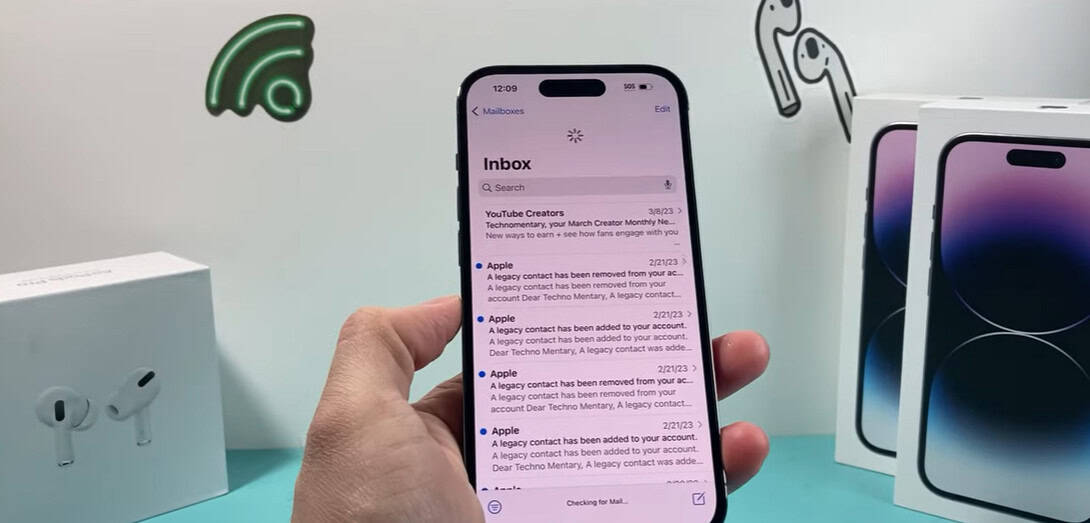
Users of iPhones have recently experienced a frustrating surprise: the Apple Mail app abruptly stopped displaying, syncing, or responding to emails. What initially appeared to be a small issue has grown into a more significant one that is interfering with both personal and professional communication in equal measure. Users started complaining about unexpected app crashes, messages disappearing in the middle of reading, and inboxes going blank, especially after updating to iOS 18.4.1.
For some, the problem becomes subtle. It’s possible to ignore a quiet inbox until an anticipated email doesn’t show up. Then comes the realization that refreshing doesn’t work and that reopening the app only results in the same blank screen. Numerous other people are echoing these common frustrations in Reddit threads, community forums, and even among well-known tech personalities.
Because his Mail app wasn’t refreshing correctly, a creative director in Los Angeles revealed how he missed a crucial investor email. Nothing changed even after he checked his cellular connection, Wi-Fi, and even switched to airplane mode. Minutes before a crucial pitch meeting, he was eventually compelled to completely erase the email account and change its settings.
It is evident from looking at how users are handling these disruptions that some solutions work remarkably well. One of the most important first steps is frequently to re-authenticate the compromised email account. For iCloud, Gmail, or Outlook integrations, syncing is often silently blocked by invalid or expired passwords. The link can frequently be restored by deleting the account from Settings > Mail > Accounts and then adding it back. Notably, in a number of instances, restoring content without complete deletion has been made possible by turning off and back on mail sync in the settings.
Resetting network settings is another frequently mentioned technique. This step is a little inconvenient because it removes saved Wi-Fi passwords, but it has been especially helpful for people whose Mail app stops connecting to Apple’s servers. It can be performed by going to Settings > General > Transfer or Reset iPhone > Reset > Reset Network Settings. The recovery is frequently finished by restarting the device afterwards.
This increase in Mail app complaints is social in nature rather than merely technical. Numerous influencers have publicly expressed their displeasure. A popular productivity coach on TikTok made a skit that mimicked her annoyance after finding 87 unread messages that the app was unable to recover. Similar stories were posted in the comments by her audience, which was primarily made up of remote professionals and entrepreneurs. “I thought it was just me—Outlook saved me this week,” one viewer commented.
Some have temporarily switched to third-party solutions like Microsoft Outlook or Spark under strategic guidance. These tools are surprisingly inexpensive and offer noticeably better user feedback when things go wrong, even though they are not as seamlessly integrated as Mail. These substitutes notify users when syncing fails or credentials expire, in contrast to Apple Mail’s silent bugs.
The Mail app’s unreliability has provoked wider industry discussion regarding mobile app dependability. Developers have noted that Mail’s lack of comprehensive error logs makes troubleshooting much more difficult for regular users. People frequently believe an app is functioning when there is no pop-up or notification—until they overlook an urgent job offer or a payment reminder.
The impact is being felt even by professionals who depend on Mail on a daily basis. Mail failed to deliver updated legal documents from the firm’s lawyers, causing internal deadlines to be missed, according to a startup founder in Berlin. Due to the downstream effects of that small delay, a regulatory filing slot was lost. “You would expect Apple’s native tools to be very dependable for a tech company—but lately, they’ve been letting us down,” she said.
Apple has not yet issued an official statement. Due to the lack of direct communication, users have been left to speculate in different discussion threads. Some people think that the recent software update and background processes are at odds. Others believe it has to do with more stringent server-side security measures that may be tacitly rejecting old login credentials. One thing is made abundantly evident by the rumors: users want transparency and aren’t receiving it.
It’s interesting to note that some of the Apple Community contributors with higher rankings have suggested looking at the Mail > Fetch New Data settings. Switching to Fetch with shorter intervals—every 15 minutes or manually—has proven beneficial if Push is unavailable. For some, this change has resulted in a significant reduction in latency, allowing emails to arrive more consistently, albeit not immediately.
Losing email access, especially via a native tool, can be more than inconvenient for independent professionals and startups. It undermines trust, jeopardizes workflows, and puts pressure on teams to adopt new systems. The irony here is especially clear: an app designed to improve communication is actually making it worse by failing to do so.
Some Apple users have started sharing their own fixes by working with other developers. A step-by-step tutorial that was posted on Reddit has become very popular among iPhone 15 users. It entails turning off background app refresh, forcing Mail to stop, and then restarting. This workaround has been called “exceptionally clear and highly efficient,” despite not being officially confirmed.
Users anticipate that Apple will covertly release a background update to fix the problem in the next few days. It is advised that you keep other email clients open until that time, check your system settings frequently, and—perhaps most importantly—don’t assume your inbox is up to date without checking.