

| iOS Downgrade Summary | Details |
|---|---|
| Current iOS Version | iOS 26 (Beta or Public) |
| Downgrade Target | iOS 18.5 (Signed by Apple as of June 2025) |
| Required Software | Finder (Mac), iTunes (Windows), IPSW File |
| Device Backup Recommended | Yes – iCloud or Local Encrypted Backup |
| Data Loss Risk | High Without Backup |
| Process Steps | Backup > Download IPSW > Recovery Mode > Restore > Reinstall Backup |
| Downgrade Time | Around 45 to 60 Minutes |
| Tools Needed | Lightning Cable, Stable Internet, Desktop or Laptop |
| Supported Devices | iPhones signed for iOS 18.5 by Apple |
| Official Source | support.apple.com |
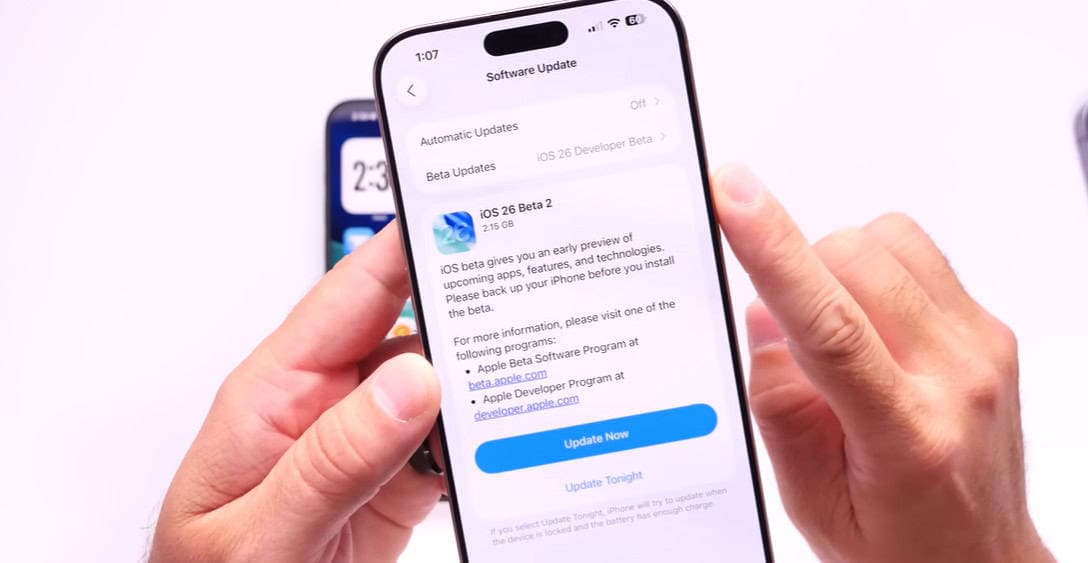
In recent weeks, an increasing number of users have complained about the same thing on forums and social media: iOS 26 is giving them headaches. The problems, which range from battery drain to crashing apps and general sluggishness, have caused a digital exodus. Many have responded to this by going back to iOS 18.5, which has been a remarkably effective step backward.
Restoring control is the goal of reverting, not giving up. The downgrading option is especially helpful for users whose phones feel more like beta test devices than personal tools. Although Apple doesn’t promote this option, it is still available if it is taken during the signing window.
Make a backup of your device first. It is impossible to overestimate this step. You run the risk of losing everything if you don’t have an archived backup made on iOS 18.5 or earlier. Some data can be recovered for users who have synced contacts, messages, or photos to iCloud, but complete device restoration will be severely limited without that particular backup.
The next step is to download the IPSW file that corresponds to your iPhone model. This file serves as the operating system’s blueprint for your phone. Sites such as ipsw.me are very trustworthy for finding verified downloads. Selecting the incorrect file could lead to a failed restoration attempt.
Put your iPhone in Recovery Mode when your file is ready. This step typically entails a timed sequence of button presses, though it varies slightly depending on the model. You will experience a mixture of hope and anxiety during this process, which is remarkably similar to restarting a computer that has become stuck during a work emergency. When everything is done correctly, a prompt stating that your device is ready for restoration will appear.
From there, launch iTunes (for Windows users) or Finder (for Mac users). Click “Restore,” choose the IPSW file you just downloaded, and press the Option key (Mac) or Shift key (Windows). The process is automatic once you start, but it may take some time. Now would be a good time to have a coffee and perhaps think about how you got here.
Although downgrading does erase your phone, it won’t feel like a loss if you have a backup ready. Many users experience an almost nostalgic sense of relief when they return to a dependable, consistent interface. They’re going back to dependability instead of chasing gaudy features.
Users are recovering devices that had felt taken over by instability by exercising strategic caution. iPhones and other incredibly useful devices should improve daily life rather than interfere with it. However, hurried updates, particularly betas, frequently have the opposite effect. For journalists, content producers, and remote workers who depend on reliable devices for productivity, the annoyance is especially great.
The larger tech world is paying attention. Influencers like Happy Aujla and iOSHacker have created incredibly effective walkthroughs that demonstrate how to precisely manage the downgrade. Users’ confidence in handling the process independently has significantly increased as a result of their tutorials. Users who have successfully made the switch frequently express their relief in Reddit threads, which are frequently chaotic in tone.
One user, iriss216, for example, described how they were able to downgrade from iOS 26 to iOS 18.5 after running into unfixable issues. Zachyy, another user, underlined the importance of making an archive backup prior to updating to any beta release. People want technology that works, not that experiments on them, as these stories demonstrate.
Tenorshare ReiBoot and other third-party tools have also entered the discussion. Although Apple does not formally support them, they guarantee to assist users in downgrading without losing any data. These should be handled carefully, though. While some can result in irreversible device problems if used incorrectly, others are surprisingly user-friendly and reasonably priced.
Time is of the essence. After a new update is released, Apple only signs older versions, such as iOS 18.5 for a brief time. If that window is missed, downgrading may not be feasible without sophisticated workarounds, some of which comply with Apple’s usage guidelines.
Similar frustrations have been experienced by celebrities as well, albeit in private. Tech-savvy individuals such as Jack Dorsey and Will.i.am have made public statements regarding the need for lean, reliable platforms and software bloat. Although they haven’t spoken directly about iOS 26, their opinions are consistent with the general consensus that people value functionality over style.
From this perspective, downgrading is seen as a statement rather than merely a technical step. It stands for discernment. It demonstrates that consumers are carefully considering the software they permit to run on their devices.
A more stable public release of iOS 26 or possibly iOS 26.1 that addresses current issues is anticipated in the upcoming weeks. Downgrading provides a life raft in the interim. Many people find it to be the most intelligent method of navigating rough software waters, particularly when the newest features seem more like disruptions than improvements.